
Maynilad earns most number of ISO certificates in the country
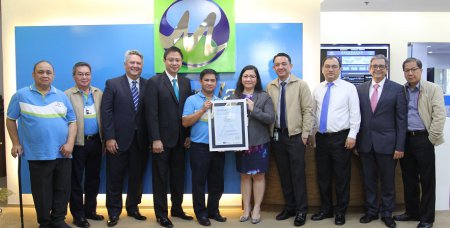
West Zone concessionaire Maynilad Water Services, Inc. (Maynilad) received 34 more ISO certifications in 2017, bringing its total number of certificates to 243. This makes Maynilad the company with the most number of ISO certifications for multiple sites in the Philippines. Maynilad’s company-wide ISO certificates, which covers 78 offices and facilities, now also includes its […]
Maynilad President and CEO Ramon “Mon” Fernandez is the 69th MAP President

President and Chief Executive Officer (CEO) of Maynilad Water Services, Inc. (Maynilad) Ramoncito “Mon” Saldua Fernandez will be leading the Management Association of the Philippines (MAP) in 2018. He is the 69th President of the organization since its inception in 1950. Mr. Fernandez is a BS Industrial Management Engineering graduate of De La Salle University […]
Maynilad to adjust water tariff by January

Beginning January 1, 2018, residents in the West Zone will have adjusted water rates as Maynilad Water Services, Inc. (Maynilad) implements an average basic rate adjustment of P0.97/cu.m., equivalent to 2.80% of the P34.51/cu.m. average Basic Charge in 2017, which represents the Consumer Price Index (CPI) adjustment. The MWSS also granted Maynilad a Foreign […]
Maynilad’s Ginhawa Gardening benefits 5,600 people

West Zone concessionaire Maynilad Water Services, Inc. (Maynilad) has reached more than 5,600 people in Parañaque City with its “Ginhawa Gardening” program—a series of workshops on practical urban gardening techniques to help families grow their own food. Done in support of the FAITH (Food Always in the Home) Gardens program of Parañaque City, Maynilad has […]
Maynilad completes 20-km pipe replacement in Parañaque
West Zone concessionaire Maynilad Water Services, Inc. (Maynilad) recently completed the replacement of 20 kilometers of old, leaky pipelines in Parañaque City. Maynilad spent P136 million for this pipe replacement project, which addressed the problem of leaks and breakages on the 30-year-old distribution system of the Merville area. Replacing the old secondary and tertiary pipelines […]
Maynilad, PRRC partner for “Puso para sa Ilog Pasig Run”

More than 1,000 people from the government and private sector took part in the “Puso Para sa Ilog Pasig Run” held recently at the University of Makati. Organized by West Zone concessionaire Maynilad Water Services, Inc. (Maynilad) and the Pasig River Rehabilitation Commission (PRRC), the fun run was held to further promote awareness about the […]
Maynilad to invest P10 billion for new sewer lines
West Zone concessionaire Maynilad Water Services, Inc. (Maynilad) is investing over P 10 billion to install 183.6 kilometers of sewer lines within the next five years, to expedite the provision of sewerage services for its customers. � The new sewer lines will be laid in the cities of Caloocan, Malabon, Navotas, Las Piñas and Muntinlupa […]
Maynilad hailed as IDC “Digital Transformer of the Year” in the Philippines
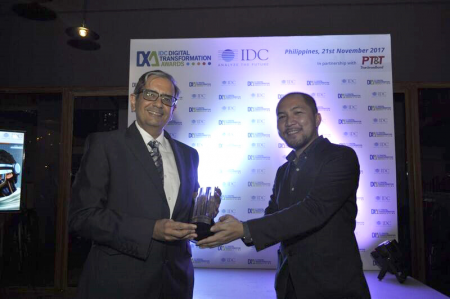
Dr. Francisco Castillo (left), Chief Information Officer of Maynilad Water Services, Inc. (Maynilad), receives the “Digital Transformer of the Year” Award from International Data Corporation (IDC) Philippines Country Head Jubert Daniel Alberto at the inaugural IDC Digital Transformation Awards held recently in Taguig City. Maynilad was recognized for the successful integration of its Information Technology […]
Maynilad enters Twinning Partnership with Tagbilaran City
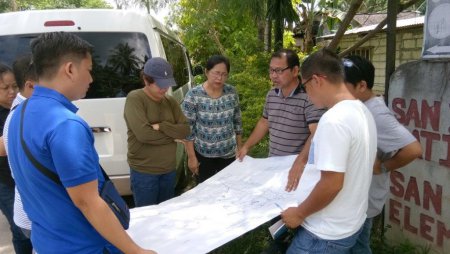
West Zone concessionaire Maynilad Water Services, Inc. (Maynilad) entered into a Twinning Partnership with Tagbilaran City in Bohol province. Under this partnership, Maynilad will share its technical expertise on water loss and water pressure management, with the aim of helping the city government improve the water operations of its Tagbilaran City Waterworks System (TCWS). Supported […]
Maynilad inaugurates P248M water facility in Muntinlupa
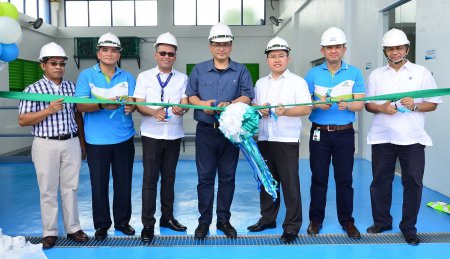
West Zone concessionaire Maynilad Water Services, Inc. (Maynilad) formally inaugurated a new pumping station and reservoir in Barangay Tunasan, Muntinlupa City, which will improve supply availability and pressure for some 46,000 customers in the area. Present during the inauguration were Muntinlupa Congressman Ruffy Biazon, Muntinlupa Deputy City Administrator Roger John Smith, Metropolitan Waterworks and Sewerage […]
