
MAYNILAD INAUGURATES 22ND WASTEWATER TREATMENT FACILITY
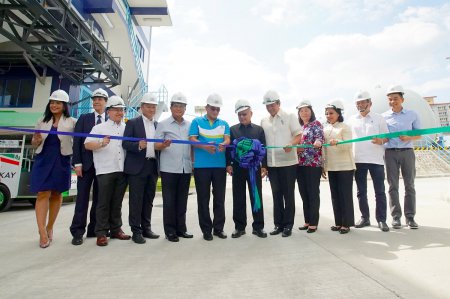
West Zone concessionaire Maynilad Water Services, Inc. (Maynilad) recently inaugurated its P1.7-billion sewage treatment plant in Parañaque City, which is part of the company’s long-term investment plan to improve the wastewater infrastructure and reduce pollution loading in Manila Bay. Joining Maynilad President and CEO Ramoncito S. Fernandez (sixth from left) during the inauguration of […]
Maynilad to invest P26.4B for new STPs in 5 years

West Zone concessionaire Maynilad Water Services, Inc. (Maynilad) will invest P26.4 billion in the next five years to build new Sewage Treatment Plants (STP) and lay sewer lines in Caloocan, Las Piñas, Muntinlupa, and Kawit, Cavite. These new facilities, which will have a combined treatment capacity of 320 million liters per day (MLD), will remove […]
Maynilad starts operating its P1.7B Parañaque STP
West Zone concessionaire Maynilad Water Services, Inc. (Maynilad) recently began operating its newly constructed P1.7-billion sewage treatment plant (STP) in San Dionisio, Parañaque City. “Maynilad has always been supportive of government’s move to clean up Manila Bay. Building new STPs is in line with this initiative, and the Parañaque Water Reclamation Facility is now […]
Maynilad spends P23.3 billion for wastewater projects since 2007
West Zone concessionaire Maynilad Water Services, Inc. (Maynilad) has invested about P23.3 billion to improve wastewater infrastructure and expand sewerage coverage in the West Zone since the company’s re-privatization in 2007. This investment—which went into the construction of new wastewater treatment facilities and rehabilitation of existing ones, acquisition of new vacuum trucks for septic tank […]
Maynilad plugs 21,000 pipe leaks in 2018
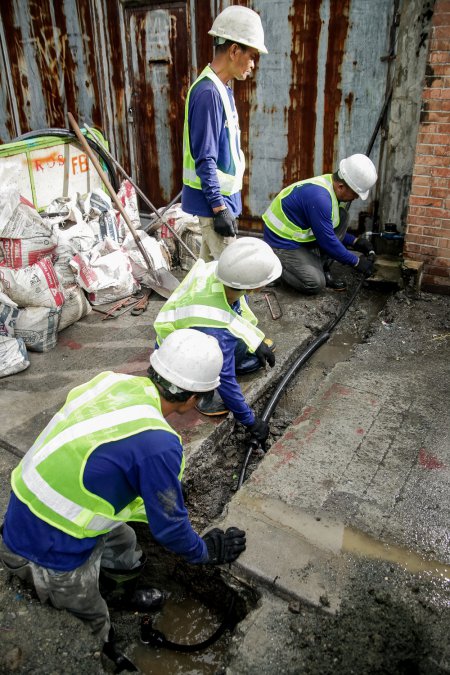
West Zone concessionaire Maynilad Water Services, Inc. (Maynilad) repaired 21,000 pipe leaks in 2018, bringing its total leak repairs to almost 356,000 since its re-privatization in 2007. The water company spent about P200 million in 2018 alone to plug pipe leaks, most of which were found on secondary and primary lines in Quezon City, Parañaque […]
Maynilad earns ISO certification for business continuity systems
West Zone concessionaire Maynilad Water Services, Inc. (Maynilad) recently secured an ISO certification in Business Continuity Management Systems (BCMS) from international auditing and certification body TUV Rheinland Philippines.� � The ISO 22301:2012 certification speaks of the water company’s sustainability, operational resiliency and recovery in the event of a disaster. It proves that Maynilad has an […]
Maynilad holds strategic planning session with Valenzuela City officials
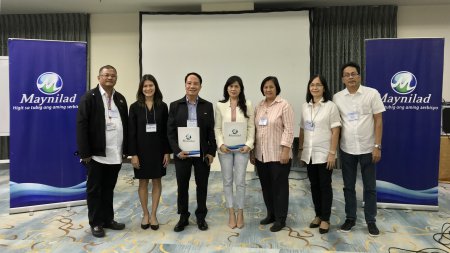
West Zone concessionaire Maynilad Water Services Inc. (Maynilad) recently held a strategic planning conference with the Valenzuela City government to discuss plans and programs aimed at improving water and wastewater services in the city. Maynilad and the Valenzuela LGU also aligned on planned road projects so that the impact to traffic can be minimized, and […]
MAYNILAD BAGS SAP CUSTOMER SERVICE EXCELLENCE RECOGNITION

West Zone concessionaire Maynilad Water Services, Inc. (Maynilad) was recently conferred with the Customer Center of Expertise Award by multinational software company SAP. The SAP CCOE (Customer Center of Expertise) is a recognition given to SAP customers who uphold best practices in service delivery and business innovation enablement. Maynilad, which is one of only […]
Maynilad holds second Golden Kubeta Awards

West Zone concessionaire Maynilad Water Services Inc. (Maynilad) celebrated World Toilet Day with the holding of its second “Golden Kubeta Awards”—a social media contest that recognizes the best public restrooms in the Philippines. The Golden Kubeta Awards advocates the importance of clean toilets in personal health and hygiene, and also seeks to educate the […]
MAYNILAD, PRRC JOIN HANDS FOR ESTERO REHAB
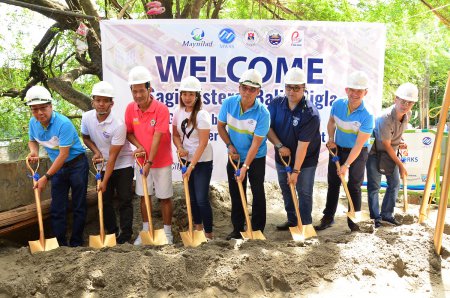
West Zone concessionaire Maynilad Water Services, Inc. (Maynilad) and the Pasig River Rehabilitation Commission (PRRC) joined forces with the Metropolitan Waterworks and Sewerage System (MWSS) and the local government of Manila to rehabilitate four polluted esteros in Manila for the next three years. This project is meant to lessen pollution load into waterways, in compliance […]
