
Maynilad lends expertise to Dubai Aluminium Company
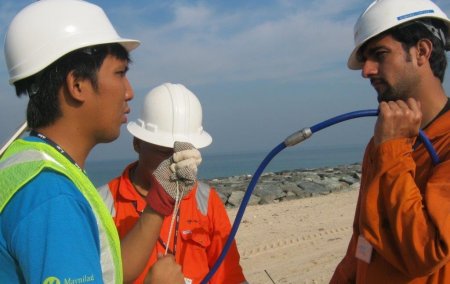
West Zone concessionaire Maynilad Water Services, Inc. (Maynilad) recently provided leak inspection expertise to United Arab Emirates-based Dubai Aluminium Company Ltd. (DubAl), the fifth largest aluminium producer in the world and one of the largest non-oil contributors to the economy of Dubai. Engaged by Pure Technologies Ltd.of Abu Dhabi for the project, Maynilad inspected DubAl\’s […]
Maynilad allocates P2.2B for water recovery projects

West Zone concessionaire Maynilad Water Services, Inc. (Maynilad) is spending P2.2 billion this year for its Non-Revenue Water (NRW) Reduction Program, to further reduce its water losses. Around 80 % of Maynilad’s water losses are due to leaks and illegal connections (physical losses) while the rest are losses due to inaccurate water metering (commercial losses). […]
Maynilad cleans 30,000 septic tanks; offers desludging service to customers
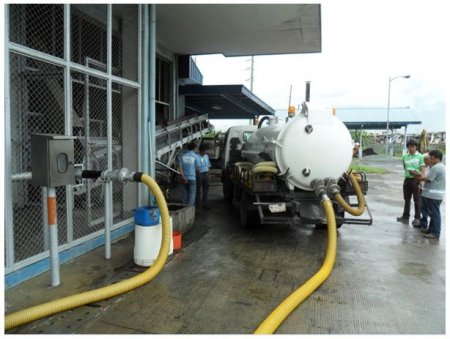
West Zone concessionaire Maynilad Water Services, Inc. (Maynilad) cleaned more than 30,000 septic tanks from around 40,000 accounts in 2013, allowing it to collect and treat nearly 70 million liters of wastewater. This February, Maynilad is offering septic tank cleaning services to its residential customers in select parts of Caloocan, Las Pinas, Quezon City […]
Maynilad spends P 1B for 2013 pipe replacements
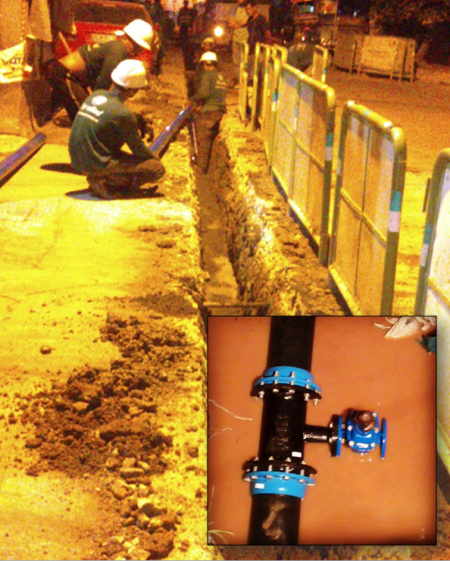
West Zone concessionaire Maynilad Water Services, Inc. (Maynilad) invested PhP1.1 billion in 2013 to replace 168 kilometers of old, leaky pipes in its service area. The completed projects were located in various portions of Caloocan, Malabon and Quezon City. The pipe replacement projects allowed Maynilad to recover some 88 million liters per day (MLD) of […]
Maynilad executive joins global water experts in Jakarta
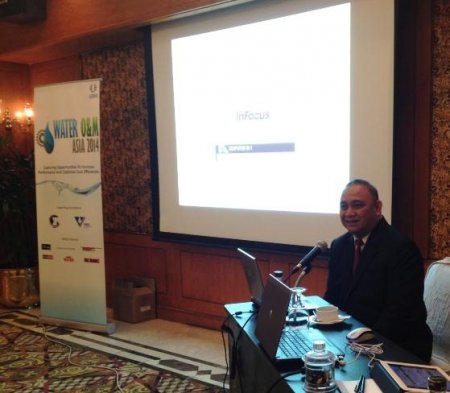
Maynilad Water Services, Inc.’s (Maynilad) Corporate Quality, Environment, Health and Security (CQESH) head Francisco Arellano spoke at the recent Water O&M Asia conference in Jakarta, Indonesia. The only Filipino water expert who joined the conference, Arellano presented Maynilad\’s initiatives in lessening carbon footprints, reducing non-revenue water, and watershed management. He was joined by water experts […]
Maynilad recovers 140 million liters of water
West Zone concessionaire Maynilad Water Services, Inc. (Maynilad) recovered nearly 140 million liters of water per day (MLD) in 2013, which was enough to supply the requirements of about 140, 000 customers. The recovered volume was used to serve communities in Manila, Malabon, Navotas, Caloocan, Quezon City, Muntinlupa, Las Piñas, and parts of Cavite. […]
Maynilad to invest P18B for infra projects
West Zone concessionaire Maynilad Water Services, Inc. (Maynilad) is investing around P18 billion this year for its water and wastewater projects, the biggest capital investment for the company since water services in Metro Manila were privatized in 1997. Around P8.2 billion, or some 46%, of Maynilad’s 2014 capital investment will be spent for wastewater management […]
500k more Maynilad customers
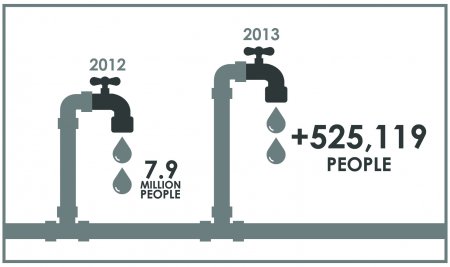
West Zone concessionaire Maynilad Water Services, Inc. (Maynilad) connected 70,962 new accounts in 2013, effectively servicing an additional 525,119 people in its service area. This brings Maynilad’s total number of accounts to 1,129,497 or nearly 8 million people. Of its current customers, 98% have 24-hour uninterrupted water supply— a dramatic increase from the 32% who […]
Maynilad Laboratory gets ISO certification
West Zone concessionaire Maynilad Water Services, Inc. (Maynilad) recently secured its 86th ISO certification after its Central Laboratory passed the accreditation of the Philippine Accreditation Office (PAO). The recognition was obtained following the implementation of a quality management system that satisfies the requirements of the PNS ISO/IEC 17025:2005 standard. Maynilad\’s Central Laboratory monitors and tests […]
Maynilad Hosts Cavite Councilors
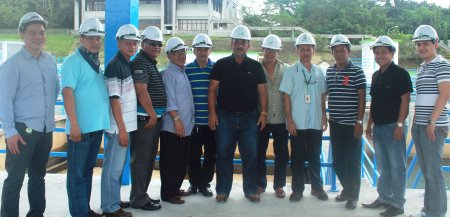
West Zone concessionaire Maynilad Water Services, Inc. (Maynilad) recently hosted a study tour for the councilors of Maragondon, Cavite. During the study tour, the local officials were provided an overview of how raw water is treated at Maynilad’s world-class La Mesa Water Treatment Plant in Novaliches, Quezon City.In photo (L-R): Officials from the Municipality of […]
