
New Maynilad President Appointed

Effective August 1, 2010, Victorico P. Vargas will serve as the President and Chief Executive Officer of West Zone concessionaire Maynilad Water Services, Inc. (Maynilad). Mr. Vargas formally takes over the position vacated by Mr. Rogelio L. Singson, who is now Secretary of the Department of Public Works and Highways (DPWH). Prior to this appointment, […]
MMDWQMC Special Pronouncement regarding Iron and Manganese Discoloration

The Metro Manila Drinking Water Quality Monitoring Committee (MMDWQMC) issued a special bulletin confirming that despite the water discoloration found in some areas of Metro Manila, water from the tap is still safe to drink. The scanned copy of the pronouncement can be downloaded here.
West Zone Water Supply Situation Update
Due to an increase in its raw water supply, West Zone concessionaire Maynilad was able to significantly improve the water supply situation in its service area over the weekend. Since Saturday, Maynilad has been producing over 2 billion liters of potable water for its customers. As a result, all 117 severely affected barangays (those […]
Maynilad executive presents before global water loss experts
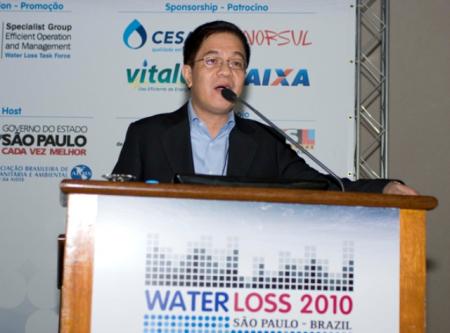
Maynilad Head of Central Non-Revenue Water (CNRW), Irineo L. Dimaano, recently presented a paper on “Embarking on the World’s Largest NRW Management Project,” to about 600 water loss experts from 45 countries at the International Water Association (IWA) Water Loss 2010 conference at Sao Paulo, Brazil. Before DMCI-MPIC Water Company, Inc. (DMWCI), a joint venture […]
West Zone Water Supply Situation and Maynilad’s Mitigating Measures
Last Sunday (July 18), water level in Angat dam receded to 157.56 meters above sea level, which is way below the critical level of 180 meters. According to our records, this is the lowest water level in history. Given the limited water supply from Angat Dam and the very significant effect of the 30% raw […]
Water Supply Advisory for Maynilad Customers
Since February this year, our water allocation from Angat Dam has been steadily reduced because of El Nino. Since then, we have been able to manage the decreasing supply through a number of mitigating measures. For the month of July, our allocation has been cut by 30% and as a result around 46% of our […]
Free septic tank cleaning for Maynilad customers in Quezon City, North Caloocan, and Paranaque
For the whole of July, Maynilad customers in select parts of Quezon City, North Caloocan and Parañaque may avail of free septic tank cleaning from the private water concessionaire. Maynilad customers in Brgy. Lourdes, Brgy. Sta. Teresita, Brgy. Salvacion, Brgy. San Isidro Labrador, and Brgy. Holy Spirit in Quezon City; Bagong Silang, Phase 2 in […]
Indigent community benefits from Maynilad project
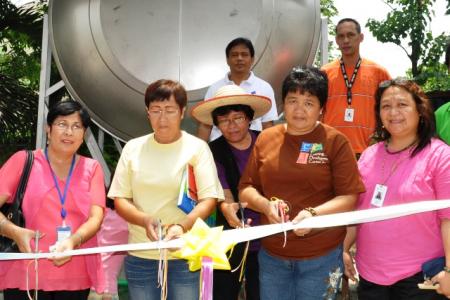
More than 370 indigent families in Area 6, Sitio Veterans in Quezon City became the latest beneficiaries of Bayan Tubig, Maynilad’s socialized water delivery program for the poor. Before the project, Area 6 residents were forced to pay private water vendors as much as P40 per drum or endure long lines to fetch water from […]
Summer Learning Trip for Public School Students
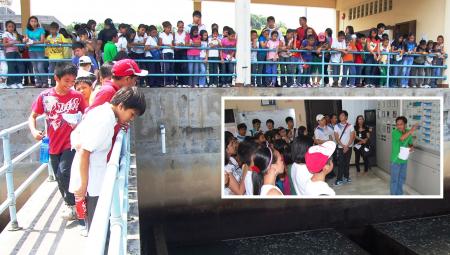
How does water from Angat dam become safe and fit for drinking? Over summer, some 160 students from nine elementary schools in Metro Manila learned how Maynilad treats the water it delivers to its over 7 million customers. La Mesa Treatment Plant 2 Shift Supervisor Christopher Mapua explains the treatment process before the kids were […]
Maynilad trims water losses
As of June 1, 2010, West Zone concessionaire Maynilad has brought down its non-revenue water (NRW) level to 53% from 61% during the same period last year. Maynilad was able to address over 29,000 leaks compared to a little over 10,000 leaks during the same period in 2009. The 190% increase in resolved leaks translated […]
