
Maynilad signs project contract for additional water supply
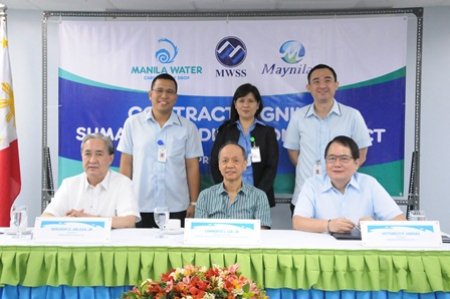
West Zone concessionaire Maynilad Water Services, Inc. (Maynilad) recently signed the Sumag River Diversion Project contract with representatives from Manila Water Company, Inc. (Manila Water) and Cavite Ideal International Construction and Development Corporation. Maynilad and Manila Water will share the cost of the project, which is expected to reach P717 million. The Sumag project involves […]
Last minute reminders to affected customers

Days before implementing its Holy Week water service interruption in parts of Metro Manila and Cavite, Maynilad Water Services, Inc. (Maynilad) is issuing some last minute reminders to its affected customers, to prevent further inconvenience due to the supply cutoff. First, store safe and sufficient water supply. At least two days before the interruption, collect […]
Maynilad advises customers to store water safely for Holy Week Water Interruption

West Zone concessionaire Maynilad Water Services, Inc. (Maynilad) is reminding its customers to store enough water for the Holy Week water service interruption that will be triggered by the flood control project of the Department of Public Works and Highways (DPWH). The DPWH project will cause three-day, two-day and one-day water service interruptions in parts […]
Maynilad inaugurates portal flow system project
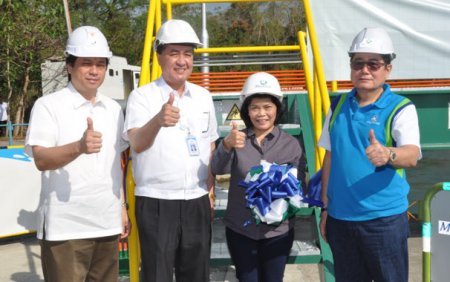
West Zone concessionaire Maynilad Water Services, Inc. (Maynilad) recently inaugurated the Novaliches Portal Flow Control System project at the La Mesa Compound, with representatives from the Metropolitan Waterworks and Sewerage System (MWSS) and Manila Water Company, Inc. (Manila Water). The Portal Flow Control System will enable real time monitoring and controlling of the water flow, […]
Water Interruptions Scheduled for Holy Week
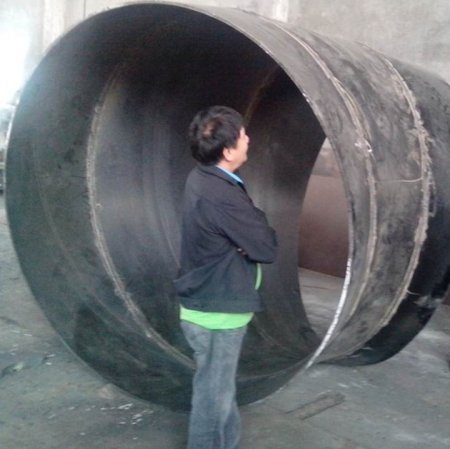
A flood control project of the Department of Public Works and Highways (DPWH) will cause three-day, two-day and one-day water service interruptions in parts of Imus, Kawit, Makati, Malabon, Manila, Navotas, Pasay and South Caloocan; and the whole of Bacoor, Cavite City, Las Piñas, Muntinlupa, Noveleta and Parañaque, from Holy Wednesday (April 16) to Black […]
Maynilad bags ASEAN Sustainability Award
West Zone concessionaire Maynilad Water Services, Inc. (Maynilad) was recently picked as first runner up from close to 100 nominations for the Integrated Communications Strategy category of the 2014 ASEAN Corporate Sustainability Summit and Awards (ACSSA). The award was given to Maynilad for its “exceptional performance in sustainable development agenda communication” through its advocacy […]
Maynilad leads World Water Day Celebration
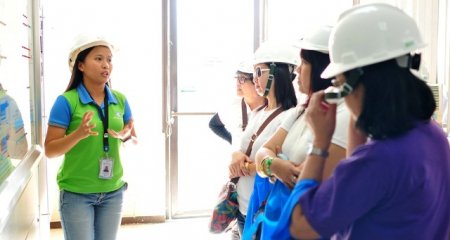
West Zone concessionaire Maynilad Water Services, Inc. (Maynilad) is leading the country’s celebration of World Water Day 2014 with government partners, the Department of Environment and Natural Resources (DENR) and the Metropolitan Waterworks and Sewerage System (MWSS). The three lead agencies were joined by 18 other public and private organizations who visited the company’s La […]
Maynilad to acquire 12 sanitation trucks
West Zone concessionaire Maynilad Water Services, Inc. (Maynilad) is spending more than 100 million pesos to acquire 12 vacuum truck units that will help increase its septage collection for the next five years. In 2013, Maynilad was able to clean more than 30,000 septic tanks and treat nearly 70 million liters of septage. The water […]
Maynilad posts 10 million safe man hours in facilities
West Zone concessionaire Maynilad Water Services, Inc. (Maynilad) recently achieved nearly10 million Man Hour No Loss Time Accident (MHNLTA) in all of its facilities and business areas. The outstanding safety achievement is a testimony to Maynilad’s uncompromising commitment to stringent health, safety, and environment standards and practices. Three of its 14 ISO-certified facilities particularly, […]
Maynilad hosts first-ever Suppliers Expo

West Zone concessionaire Maynilad Water Services, Inc. (Maynilad) recently hosted a two-day event dubbed “Suppliers Expo 2014” at the MWSS compound last February 27 and 28. With the theme “Bringing Technology Closer,” the event brought together more than 40 exhibitors to display their latest technologies in water operations, sewerage, and wastewater treatment under one roof. […]
