
West Zone concessionaire Maynilad Water Services, Inc. (Maynilad) will continue strengthening its water loss reduction program through sustained investments in Non-Revenue Water (NRW) management initiatives, supporting efforts to improve network efficiency and maximize available water supply across its concession area.
These initiatives form part of Maynilad’s MWSS-approved Business Plan for 2023 to 2027, which provides for continued infrastructure rehabilitation, leak detection activities, and targeted system upgrades aimed at reducing water losses across its network serving densely populated urban communities in the West Zone.
Portions of Maynilad’s distribution network were inherited from earlier water systems developed over several decades, with some legacy pipelines in Metro Manila dating back to the early 20th century and requiring continuing rehabilitation.
Under Maynilad’s MWSS-approved Business Plan, approximately ₱7.7 billion has been allocated for Non-Revenue Water management initiatives programmed for 2026 implementation.
NRW management remains a central component of Maynilad’s operational strategy. In 2025 alone, the company recovered about 256 million liters per day (MLD) of water through intensified leak detection, pipe replacement, pressure management, and network monitoring interventions—an amount equivalent to the output of a major water treatment plant, or nearly the combined production of two of Maynilad’s southern water treatment facilities.
According to Maynilad Central NRW Head Engr. Ryan B. Jamora, reducing water losses enables utilities to make more treated water available to customers without immediately developing new water sources.
“Recovering water through NRW reduction helps us optimize existing infrastructure and improve overall system efficiency,” Jamora said. “Much of this work happens underground through continuous monitoring and early leak detection before problems become visible at the surface.”
For 2026, NRW initiatives will support selective pipe replacement in high-loss areas, expanded leakage control activities, network diagnostics, and the continued evaluation of emerging technologies designed to improve leak localization and field response efficiency.
Maynilad said its current approach prioritizes data-driven interventions, enabling engineering teams to focus resources on areas where interventions deliver the greatest operational benefit while minimizing disruption to communities.
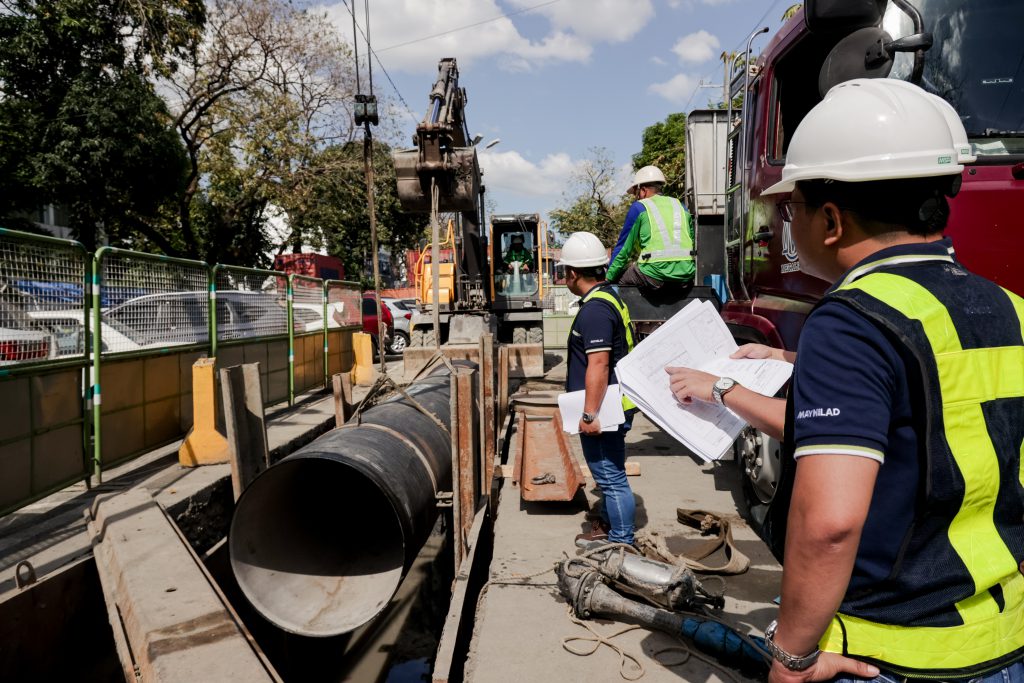
Leak detection activities were demonstrated in Barangays Bungad and Paltok in Quezon City as part of Maynilad’s ongoing stakeholder engagement efforts to provide operational context on how underground leaks are identified and addressed within active urban environments.
Pipeline systems are subject to natural deterioration from operating conditions such as traffic loading, road works, and coastal exposure, making NRW management a continuing engineering requirement for large metropolitan utilities.
Under its approved Business Plan, Maynilad targets reducing NRW levels to 25% by 2027 and 20% by 2030, consistent with regulatory commitments and the company’s long-term service reliability and sustainability objectives.
The 20% NRW level is widely recognized in the water industry as an efficient benchmark for large urban utilities, where further reductions may require disproportionately higher investment relative to incremental water recovery. Maynilad said its NRW program therefore focuses on achieving sustainable and economically efficient loss reduction while maintaining service reliability across a complex metropolitan network.
