
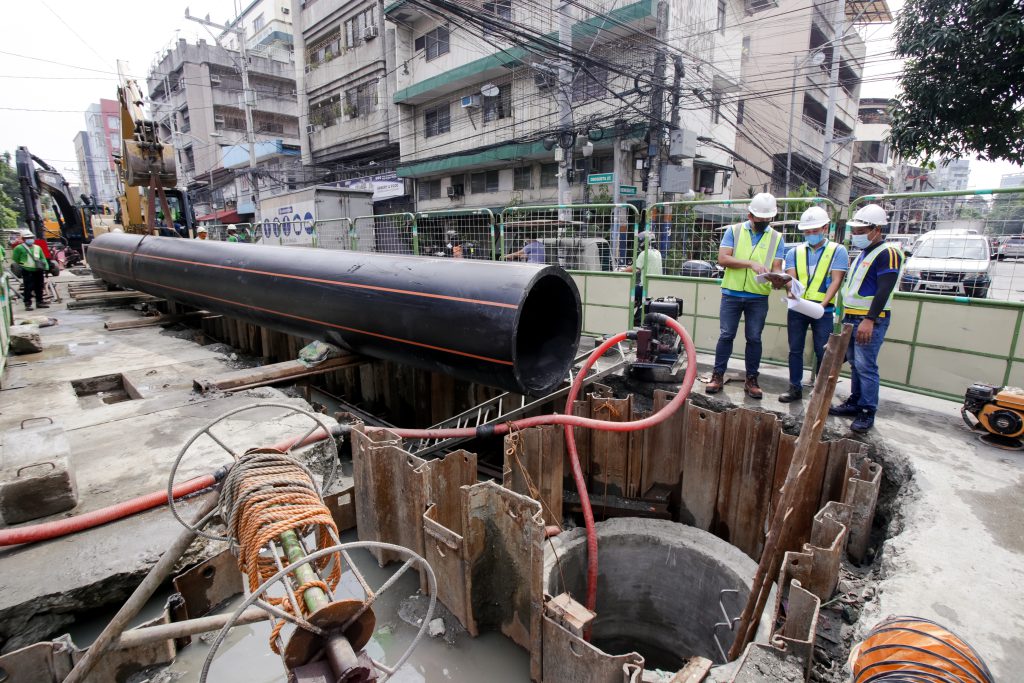
Below are the scheduled maintenance activities of Maynilad next week, most of which will take place during off-peak hours to minimize the impact of the supply interruption on our customers.
These activities are being done as part of the company’s continuous effort to improve water services in the West Zone.
Affected customers are encouraged to store enough water for the duration of the water service interruption. Maynilad has water tankers on standby, ready to deliver water to affected areas as needed.
Upon resumption of the water service, customers should let the water flow out for a few seconds until the water clears.
| City | Barangay | Schedule | Activity | Location of Activity |
| Caloocan | Brgy. 1 to 12 and 14 to 20 | 12:01 a.m. to 3:00 a.m. daily, from August 18 to 22, 2025 | Network Diagnostic / Leak Localization | Mabini corner Francisco |
| Brgy. 1 to 12, 14 to 20, 86 to 96, 99, 101 and 105 | 12:01 a.m. to 3:00 a.m. of August 24, 2025 | Network Diagnostic / Leak Localization | Mabini corner Francisco, 11th Avenue between A. Bonifacio Avenue and Bo. Galino Street | |
| Brgy. 86 to 96, 99, 101 and 105 | 12:01 a.m. of August 18, 2025 to 3:00 a.m. of August 22, 2025 | Network Diagnostic / Leak Localization | 11th Avenue between A. Bonifacio Avenue and Bo. Galino Street | |
| Malabon | Longos and Tonsuya | 12:01 a.m. to 3:00 a.m. daily, from August 18 to 22, 2025 | Network Diagnostic / Leak Localization | Mabini corner Francisco |
| 12:01 a.m. to 3:00 a.m. of August 24, 2025 | Network Diagnostic / Leak Localization | Mabini corner Francisco | ||
| Manila | Brgy. 32, 34, 35, 36, 39, 42, 45, 46, 48, 50 to 53, 55, 77, 81 to 83, 86, 87, 91 to 93, 124, 128, 131 to 136, 138 to 140, 146, 177 to 183, 155, 189 to 191, 193, 194 and 196, 198 to 207, 209 to 211, 213, 216, 217, 219, 220 to 225, 227 to 229, 231, 232, 292, 294 to 301, 303 to 311, 313, 315, 353 to 356, 359, 360, 363 to 369, 373, 374, 377, 378, 380, 382, 492, 524, 525, 529, 532, 533, 649, 835 to 840 and 865 | 11:01 p.m. to 3:00 a.m. daily, from August 17 to 24, 2025 | Network Diagnostic / Leak Localization | Rizal Avenue, Binondo, Hermosa Street, Pandacan, Raxabago Street, Sampaloc, Santa Cruz and Tondo |
| Brgy. 147 to 149, 151 to 163, 169 to 171, 396 to 404, 430, 457 and 460 | 12:01 a.m. to 3:00 a.m. daily, from August 18 to 24, 2025 | Network Diagnostic / Leak Localization | Recto Avenue and Tondo | |
| Muntinlupa | Cupang | 10:00 p.m. of August 18, 2025 to 4:00 a.m. of August 19, 2025 | Network Maintenance | Don Jesus Inline Booster |
| Alabang, Ayala Alabang, Buli, Cupang and Sucat | 9:00 p.m. of August 20, 2025 to 6:00 a.m. of August 21, 2025 | Network Diagnostic / Leak Localization | Alabang Zapote Road | |
| Parañaque | B.F. Homes, San Antonio and San Isidro | 9:00 p.m. of August 20, 2025 to 6:00 a.m. of August 21, 2025 | Network Diagnostic / Leak Localization | Alabang Zapote Road |
| Quezon City | Balingasa | 12:01 a.m. of August 18, 2025 to 3:00 a.m. of August 22, 2025 | Network Diagnostic / Leak Localization | 11th Avenue between A. Bonifacio Avenue and Bo. Galino Street |
| 12:01 a.m. to 3:00 a.m. of August 24, 2025 | Network Diagnostic / Leak Localization | 11th Avenue between A. Bonifacio Avenue and Bo. Galino Street | ||
| Payatas | 9:00 a.m. to 10:00 a.m. of August 18, 2025 | Meralco Meter Replacement | Litex Pumping Station and Reservoir | |
| San Bartolome, Bahay Toro and Tandang Sora | 10:00 p.m. of August 18, 2025 to 6:00 a.m. of August 19, 2025 | Several Network Maintenance Activities | Magsaysay corner PDC and Tandang Sora corner General Avenue | |
| Sta. Monica and Gulod | 10:00 p.m. of August 19, 2025 to 6:00 a.m. of August 20, 2025 | Network Diagnostic / Leak Localization | Jordan Plains 3 and 4 and Golden HOA | |
| Maharlika, NS Amoranto and Paang Bundok, Quezon City | 10:00 p.m. of August 20, 2025 to 6:00 a.m. of August 21, 2025 | Network Diagnostic / Leak Localization | Del Monte corner Speaker Perez | |
| Santo Domingo and Talayan | 10:00 p.m. of August 21, 2025 to 6:00 a.m. of August 22, 2025 | Network Diagnostic / Leak Localization | G. Araneta corner Quezon Avenue | |
| Valenzuela | Arkong Bato, Balangkas, Bignay, Bisig, Coloong, Dalandanan, Gen. T. De Leon, Isla, Lawang Bato, Lingunan, Mabolo, Malanday, Malinta, Maysan, Palasan, Parada, Pariancillo Villa, Pasolo, Poblacion, Polo, Punturin, Rincon, Tagalag, Viente Reales and Wawang Pulo | 12:01 a.m. to 4:00 a.m. daily, from August 18 to 22, 2025 | Network Maintenance | Felo 1 Rincon, Sto. Rosario Road, Rincon Road, San Isidro Street and Santulan Road |
| Gen. T. De Leon and Marulas | 1:00 p.m. to 2:00 p.m. of August 18, 2025 | Meralco Meter Replacement | Pio Inline Booster | |
| Bacoor | Molino I to Molino IV, Molino VI, Molino VII, Queens Row Central, Queens Row East, Queens Row West and San Nicholas III | 10:00 p.m. of August 18, 2025 to 6:00 a.m of August 19, 2025 | Network Diagnostic / Leak Localization | Marcos Alvarez Extension |
| Imus City | Pasong Buaya I and Pasong Buaya II | 10:00 p.m. of August 18, 2025 to 6:00 a.m of August 19, 2025 | Network Diagnostic / Leak Localization | Marcos Alvarez Extension |
| Obando | Paco | 12:01 a.m. to 4:00 a.m. daily, from August 18 to 22, 2025 | Network Maintenance | Felo 1 Rincon, Sto. Rosario Road, Rincon Road, San Isidro Street and Santulan Road |
