
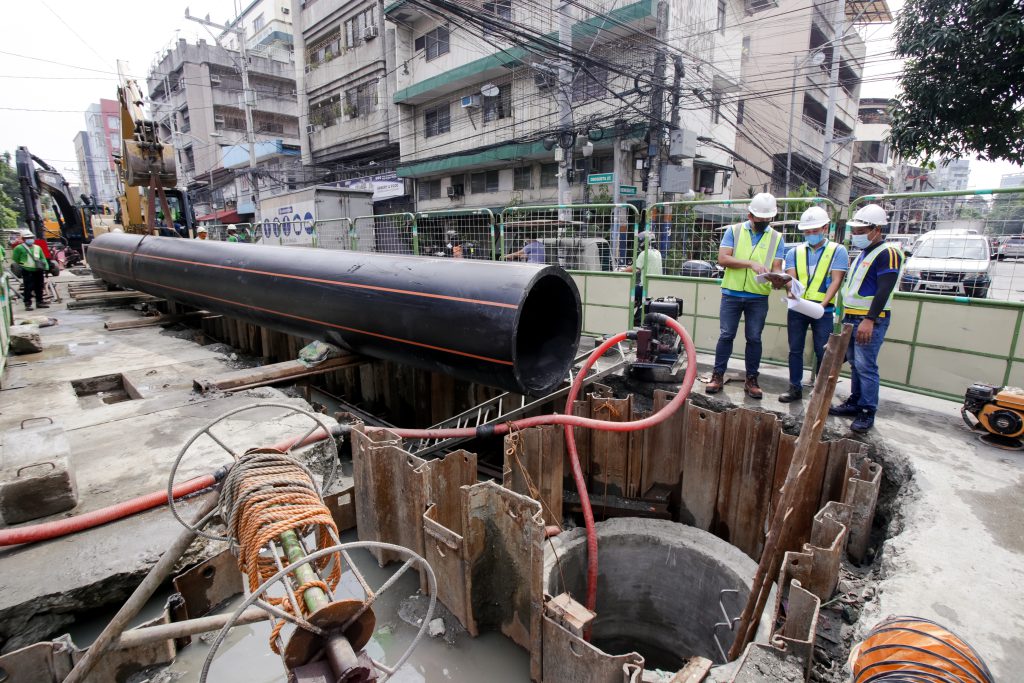
Below are the scheduled maintenance activities of Maynilad next week, most of which will take place during off-peak hours to minimize the impact of the supply interruption on our customers.
These activities are being done as part of the company’s continuous effort to improve water services in the West Zone.
Affected customers are encouraged to store enough water for the duration of the water service interruption. Maynilad has water tankers on standby, ready to deliver water to affected areas as needed.
Upon resumption of the water service, customers should let the water flow out for a few seconds until the water clears.
| City | Barangay | Schedule | Activity | Location of Activity |
| Caloocan | Brgy. 8, 33, 35, 46, 47, 49 and 50 | 11:00 p.m. of June 30, 2025 to 4:00 a.m. of July 1, 2025 | Network Diagnostic / Leak Localization | Street No. 2 corner Tambakan Street, Sugpo corner Alley 3, Sugpo corner Sapang and 4th Avenue corner Rizal Avenue |
| Brgy. 82 to 84 | 11:00 p.m. of July 3, 2025 to 4:00 a.m. of July 4, 2025 | Leak Detection and Pressure Test | Tirad Pass corner V. Concepcion | |
| Las Piñas | Pamplona Uno to Pamplona Tres, Pulanglupa Uno and Zapote | 9:00 p.m. of July 2, 2025 to 6:00 a.m. of July 3, 2025 | Network Diagnostic / Leak Localization | Quirino Avenue |
| Manila | Brgy. 32, 34, 35, 36, 39, 42, 45, 46, 48, 50 to 53, 55, 77, 81 to 83, 86, 87, 91 to 93, 124, 128, 131, to 136, 138 to 140, 146, 155, 177 to 183, 189 to 191, 193, 194 and 196, 198 to 207, 209 to 211, 213, 216, 217, 219, 220 to 225, 227 to 229, 231 t 233, 258, 292, 294 to 301, 303 to 311, 313, 315, 353 to 356, 359, 360, 363 to 369, 373, 374, 377, 378, 380, 382, 492, 649, 835 to 840, 865 | 11:00 p.m. to 3:00 a.m. daily, from June 29, 2025 to July 6, 2025 | Network Diagnostic / Leak Localization | Rizal Avenue, Binondo, Hermosa Street, Pandacan, Raxabago Street, Sampaloc, Santa Cruz, Tondo |
| Brgy. 147 to 149, 151, 152, 163, 169 to 171, 369 to 404, 430, 457, 460, 429, 432, 436, 438, 447 and 448 | 12:00 a.m. to 3:00 a.m. daily, from June 30, 2025 to July 6, 2026 | Network Diagnostic / Leak Localization | Algeciras Street, Recto Avenue, Tondo | |
| Brgy. 260 to 267, 620 and 622 to 625 | 10:00 p.m. of June 30, 2025 to 6:00 a.m. of July 1, 2025 | Network Maintenance | 1230 Masangkay Street, Brgy. 208 and M. Abad Santos corner Lubiran | |
| Valenzuela | Arkong Bato, Balangkas, Bisig, Coloong, Dalandanan, Gen. T. De Leon, Isla, Mabolo, Malanday, Malinta, Maysan, Palasan, Parada, Pariancillo Villa, Pasolo, Poblacion, Polo, Rincon, Tagalag, Viente Reales and Wawang Pulo | 12:01 a.m. to 3:00 a.m. daily, from June 29, 2025 to July 4, 2025 | Network Maintenance | West Service Road, San Andres, Malanday, San Miguel Heights, M. De Leon Street, C. Santiago and Matiaga Street |
| Interconnection | ||||
| Bacoor, Cavite | Alima, Banalo, Camposanto, Daang Bukid, Digman, Habay I, Kaingin, Mabolo I, Mabolo II, Maliksi I to Maliksi III, Niog I, Panapaan II, Panapaan III, Seneguelasan, Tabing Dagat (Poblacion), Talaba I to Talaba III, Talaba VI and Talaba VII | 12:01 a.m. to 3:00 a.m. daily, from June 30, 2025 to July 4, 2025 | Network Diagnostic / Leak Localization | Evangelista Road |
| Cavite City | Brgy. 1 to 10, 10 A-B, 11 to 22, 22-A, 23 to 36, 36-A, 37, 37-A, 38, 38-A, 39 to 42, 42-A to 42-C, 43 to 45, 45-A, 46, 47, 47-A, 47-B, 48, 48-A, 49, 49-A, 50 to 53, 53-A (Sangley), 53-B (Sangley), 54, 54-A, 55 to 58, 58-A, 59 to 61, 61-A, 62, 62-A, Fort San Felipe, Fort San Felipe (Phil Navy) and Sangley Point | 12:01 a.m. to 3:00 a.m. daily, from June 30, 2025 to July 4, 2025 | Network Diagnostic / Leak Localization | Manila-Cavite Road, Noveleta, Cavite |
| Imus, Cavite | Medicion II-C and Medicion II-D | 12:01 a.m. to 3:00 a.m. daily, from June 30, 2025 to July 4, 2025 | Network Diagnostic / Leak Localization | Tirona Highway |
| Kawit, Cavite | Balsahan-Bisita, Batong Dalig, Binakayan-Aplaya, Binakayan-Kanluran, Congbalay-Legaspi, Gahak, Kaingen, Magdalo, Manggahan-Lawin, Marulas, Panamitan, Poblacion, Pulvorista, Samala-Marquez, Sta. Isabel, Tabon 1, Tabon 2, Tramo-Bantayan, Wakas 1 and Wakas 2 | 12:01 a.m. to 3:00 a.m. daily, from June 30, 2025 to July 4, 2025 | Network Diagnostic / Leak Localization | Tirona Highway |
| Noveleta, Cavite | Bagbag I, Magdiwang, Poblacion, San Antonio I, San Antonio II, San Juan I, San Juan II, San Rafael I to San Rafael IV, Salcedo I, Salcedo II, Sta. Rosa I and Sta. Rosa II | 12:01 a.m. to 3:00 a.m. daily, from June 30, 2025 to July 4, 2025 | Network Diagnostic / Leak Localization | Manila-Cavite Road |
| Rosario, Cavite | Bagbag I, Bagbag II, Kanluran, Muzon I, Muzon II, Poblacion, Sapa I to Sapa IV, Silangan I, Silangan II, Tejeros Convention and Wawa I to Wawa III | 12:01 a.m. to 3:00 a.m. daily, from June 30, 2025 to July 4, 2025 | Network Diagnostic / Leak Localization | Manila-Cavite Road |
| Obando City | Paco | 12:01 a.m. to 3:00 a.m. daily, from June 29, 2025 to July 4, 2025 | Network Maintenance | West Service Road, San Andres, Malanday, San Miguel Heights, M. De Leon Street, C. Santiago and Matiaga Street |
| Interconnection |
