
Maynilad uses cookies to improve our website and enhance your browsing experience. Read our Cookie Notice.

Maynilad unveils sewer rehab project in Central Manila
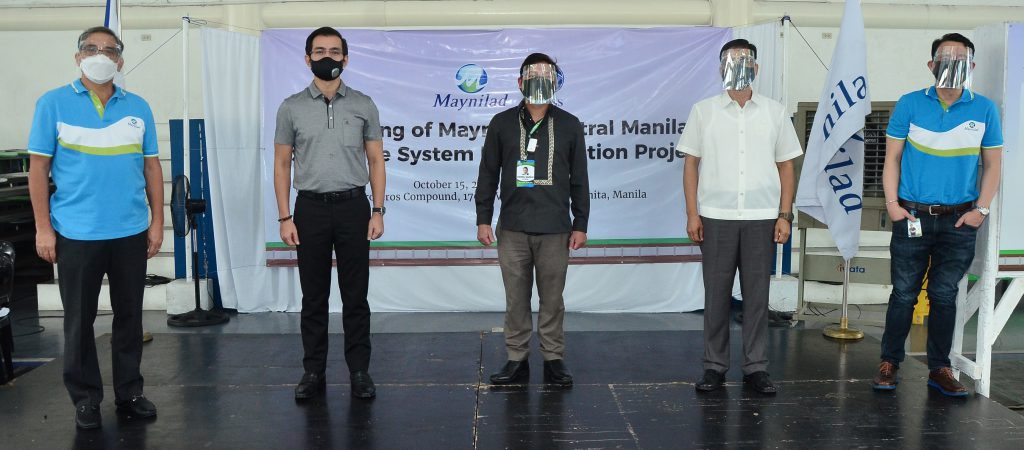
Maynilad recently unveiled its Php 969.14-million Central Manila Sewerage System (CMSS) Rehabilitation Project in simple rites held at Arroceros, Manila. Leading the event were (from left) Maynilad President and CEO Ramoncito Fernandez, Manila City Mayor Francisco “Isko  Moreno” Domagoso, DENR ASec. Daniel Darius Nicer representing DENR Secretary Roy Cimatu, MWSS Administrator Emmanuel Salamat, and Maynilad […]

Maynilad provides aid to DepEd for 2020 school opening

Maynilad Water Services, Inc. (Maynilad) took part in the Brigada Eskwela 2020 program of the Department of Education (DepEd) by donating sanitation supplies and refurbished computers to 14 public school districts in the West Concession area.  Maynilad donated 10 refurbished desktop computers to Ramon Magsaysay High School in Manila, to be used by the teachers […]

Maynilad intensifies sewer connection, septic tank cleaning drives

From January 2019 to August 2020, West Zone concessionaire Maynilad Water Services, Inc. (Maynilad) has connected more than 32,000 additional customers to its sewerage system, which includes households and establishments located along waterways that drain into Manila Bay. This after Maynilad intensified its campaign to convince more customers to connect to the existing sewer network, […]

Maynilad to lay 1.78-km. sewer lines along two esteros by Q1 2021

West Zone concessionaire Maynilad Water Services, Inc. (Maynilad) aims to complete by the first quarter of 2021 the installation of around 1.78 kilometers of new sewer lines along two esteros in Manila, as part of its ongoing “Adopt an Estero” program.   The estero rehabilitation program, done in support of the Manila Bay Rehabilitation Program of […]

Maynilad pushes for water education; holds webinars for public school teachers

West Zone concessionaire Maynilad Water Services, Inc. (Maynilad), through its education arm Maynilad Water Academy (MWA), recently hosted a webinar-workshop series for public school teachers to promote the importance of water and sanitation education.  Twenty public school teachers from Manila and San Juan participated in the virtual event, which introduced the use of Maynilad’s water […]

Maynilad to reduce water bills in October 2020

Residents in the West Zone will experience a decrease in their monthly water bill effective October 1, 2020 as Maynilad Water Services, Inc. (Maynilad) implements a reduction in its Foreign Currency Differential Adjustment (FCDA) beginning fourth quarter of 2020.  This reduction in Maynilad’s tariff is due to the downward movement in the FCDA equivalent to […]

Maynilad invests P350 million for modular treatment plants in Cavite

West Zone concessionaire Maynilad Water Services, Inc. (Maynilad) is spending around P350 million for the installation of two modular treatment plants (MTP) in Cavite, which will produce an additional 13 million liters per day (MLD) of potable water—enough to supply the needs of some 50,000 customers in the area. The MTPs will use Ultrafiltration (UF) […]

Maynilad offers desludging services this September
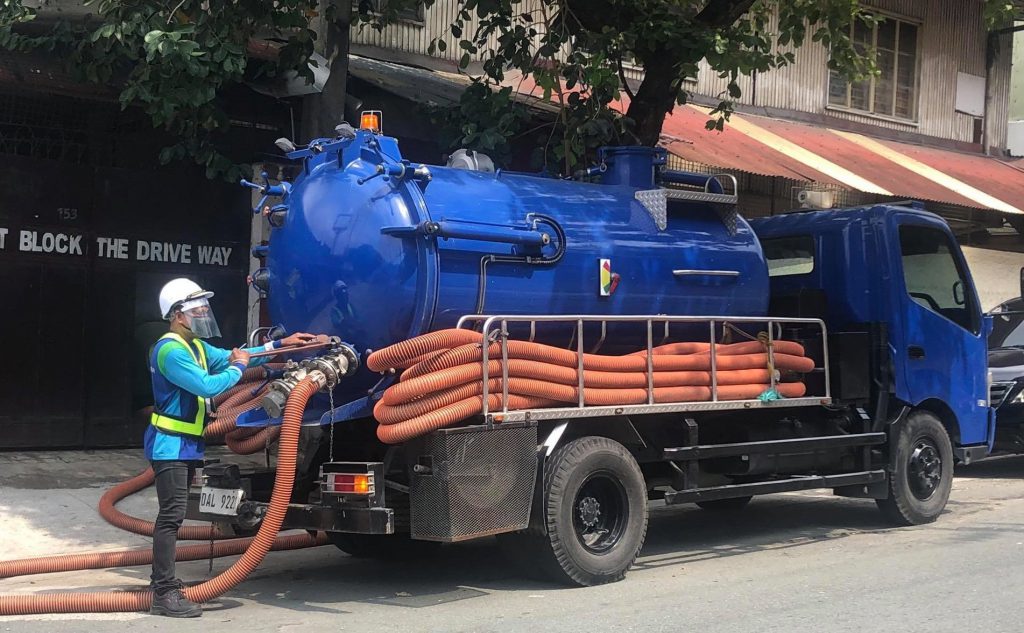
West Zone concessionaire Maynilad Water Services, Inc. (Maynilad) is offering septic tank cleaning services to its residential and semi-business customers this September in select parts of Malabon, Manila, Muntinlupa, Navotas, Pasay, Valenzuela, Quezon City, and in Cavite Province at no extra cost. The company has adopted new and more stringent protocols in the conduct of […]

Another mega-quarantine facility to get free water from Maynilad

West Zone concessionaire Maynilad Water Services, Inc. (Maynilad) will be providing free water supply to the new mega-quarantine facility that will rise in Bagong Nayon Pilipino, Parañaque City.  The facility, which can accommodate more than 500 mild and asymptomatic COVID-19 patients, will be the fifth quarantine facility to receive free water from Maynilad up to […]

Maynilad uses cookies to improve our website and enhance your browsing experience. Read our Cookie Notice.

Bank of Commerce

ONLINE BANKING

Steps/Procedures Unavailable

MOBILE BANKING

Steps/Procedures Unavailable

BancNet

ONLINE BANKING

Steps/Procedures Unavailable

MOBILE BANKING

Steps/Procedures Unavailable

BDO

ONLINE BANKING

1.) Visit www.bdo.com.ph
2.) Click Online Banking Log in
3.) Click on Enroll Now
4.) Read the Terms and Conditions.
5.) Fill out the needed information
6.) Click Submit

MOBILE BANKING

1.) Download the BDO Personal Banking
2.) Click on Enroll Now
3.) Read the Terms and Conditions.
4.) Fill out the needed information
5.) Click Submit

BPI

ONLINE BANKING

1.) Go to BPI Expressonline (www.bpiexpressonline.com) then click on “Enroll Now”.
2.) Select your location from the options provided.
3.) Read the Terms and Conditions.
4.) Submit your deposit account information.
5.) Fill out the EOL REgistration Form.
6.) A confirmation page will appear.

MOBILE BANKING

1.) Download the BPI Mobile App
2.) Click on Log in
3.) Click on Register Now
4.) Read the Terms and Conditions.
5.) Fill out the needed information
6.) Click Submit

LandBank

ONLINE BANKING

1.) Visit www.lbpiaccess.com.ph
2.) Click on Enroll now
3.) Read the Terms and Conditions.
4.) Fill out the needed information
5.) Click Submit

MOBILE BANKING

1.) Download the Landbank Mobile App
2.) Enroll on lbpiAccess.com
3.) Use the log-in credentials to access the App

EastWest Bank

ONLINE BANKING

1.) Visit www.eastwestbanker.com
2.) Click Log in now and then Personal Account
3.) Click Sign me up
4.) Read the Terms and Conditions.
5.) Follow the steps and fill out the needed information
6.) Click Submit

MOBILE BANKING

1.) Download the Eastwest Mobile Banking App
2.) Click on Sign me up
3.) Read the Terms and Conditions.
4.) Fill out the needed information

MetroBank

ONLINE BANKING

1.) Visit personal.metrobankdirect.com
2.) Click on Sign up now
3.) Read the Terms and Conditions.
4.) Select the account that you would like to enroll
5.) Fill out the needed information
6.) Click Submit

MOBILE BANKING

1.) Download the Metrobank App
2.) Click on Sign up
3.) Read the Terms and Conditions.
4.) Fill out the needed information

Chinabank

ONLINE BANKING

Steps/Procedures Unavailable

MOBILE BANKING

1.) Download the CBS Personal App
2.) Click on Sign up
3.) Read the Terms and Conditions.
4.) Fill out the needed information

PSBank

ONLINE BANKING

1.) Visit www.psbank.com.ph
2.) Click Log in then Personal
3.) Click Register Account
4.) Read the Terms and Conditions.
5.) Fill out the needed information
6.) Click Submit

MOBILE BANKING

1.) Download the PSBANK Mobile App
2.) Click on Sign up Now
3.) Read the Terms and Conditions.
4.) Fill out the needed information

Security Bank

ONLINE BANKING

1.) Visit www.securitybank.com
2.) Click on Log in
3.) Click Enroll Now
4.) Read the Terms and Conditions.
5.) Choose the type of account to enroll
6.) Fill out the needed information
7.) Click Submit

MOBILE BANKING

Steps/Procedures Unavailable

UnionBank

ONLINE BANKING

1.) Visit www.unionbankph.com
2.) Click on UnionBank Online
3.) Click Sign Up Now
4.) Read the Terms and Conditions.
5.) Choose the type of account to enroll
6.) Fill out the needed information
7.) Click Submit

MOBILE BANKING

1.) Download the UnionBank App
2.) Click on Sign up with My Existing Account
3.) Read the Terms and Conditions.
4.) Choose the type of account to enroll
5.) Fill out the needed information

RCBC

ONLINE BANKING

1.) Visit www.rcbc.com
2.) Click on Log in Personal Online Banking
3.) Click Enroll Now
4.) Fill out the needed information
5.) Click Submit

MOBILE BANKING

1.) Download the RCBC App
2.) Click on Register
3.) Read the Terms and Conditions.
4.) Fill out the needed information

UCPB

ONLINE BANKING

1.) Visit www.ucpb.com
2.) Click on Connect Log in
3.) Click on New User
4.) Read the Terms and Conditions.
5.) Fill out the needed information
6.) Click Register

MOBILE BANKING

1.) Download the UCPB App
2.) Click on Enroll Now
3.) Read the Terms and Conditions.
4.) Fill out the needed information
5.) Click Register